
Pathfinder
Frequency Response Compare & Analyzer Tool
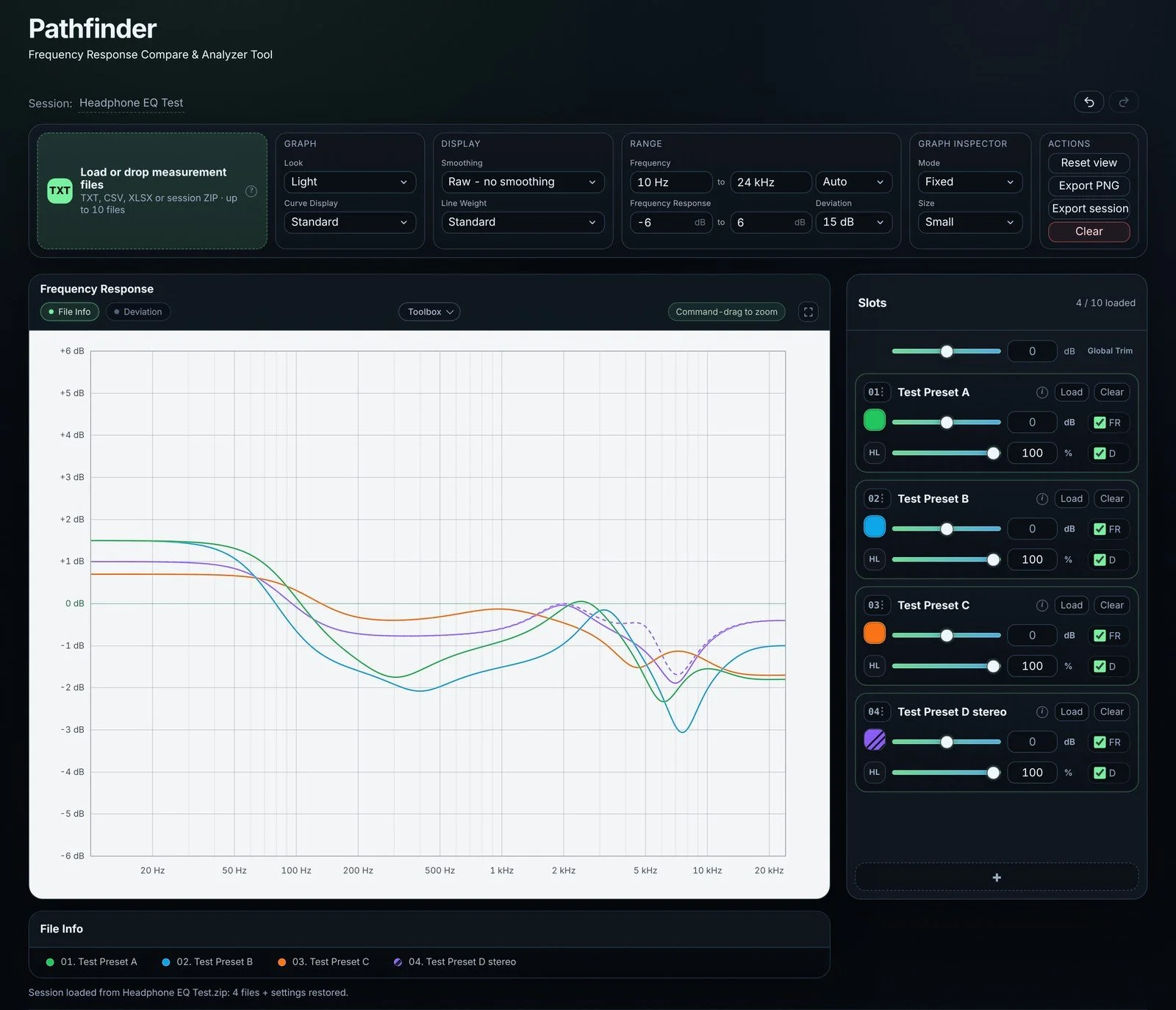
Pathfinder is a free frequency response compare and analyzer tool. Load measurement exports or EQ filter sets, compare them in one graph, view deviations, add notes and export a print-ready PNG. It runs entirely in your browser and works offline: nothing is uploaded.
Single HTML file, ~1.2 MB. Open it in your browser, no installation.
How it started
As a beta tester, I often needed a straightforward way to compare measurements and document my findings. That's why I built Pathfinder: to make comparing, analyzing and annotating TXT exports, such as those from DDMF's Plugin Doctor, easy and intuitive.
I also use it to compare and analyze headphone EQ presets. Since others might find it useful too, I'm sharing it for free.
What it does
Pathfinder deliberately focuses on frequency response and the deviation between analysis files. Every feature serves that purpose.
Compare measurements: Load up to 10 TXT, CSV or XLSX files containing frequency and level (dB) data, including mono or stereo measurements such as Plugin Doctor exports, and display them in a single graph. Data from Bertom EQ Curve Analyzer 2 works as well: paste its “CSV export to clipboard” into a text editor or spreadsheet and save it as TXT, CSV, RTF or XLSX, including stereo L/R measurements.
View deviations: See how curves differ from one another or from a reference curve.
Explore the details: Adjust the trim, highlight or hide individual curves, zoom into any area, and use the snapshot feature to pin the values of all curves at a chosen frequency.
Load EQ filter sets: Import a parametric EQ filter set, for example a REW filter file or a headphone EQ preset, and view the resulting frequency response.
Document your findings: Add notes, lines, arrows and circles directly to the graphs.
Export and save: Export a print-ready PNG, including your annotations, or save a session as a ZIP file containing all loaded files, settings and notes. Reopen it later or share it with someone else.
Built-in manual: Find instructions and a complete list of shortcuts directly within the tool.
How much data can it handle?
Pathfinder keeps every valid point in your file. There is no fixed limit built into it.
A single Excel sheet holds at most 1,048,576 rows, and even a sheet filled to that limit loads - all of it, not a sample of it.
TXT and CSV files behave the same way. A typical measurement export, from a few hundred to a few tens of thousands of points, typically loads quickly.
Once a file is loaded, the graph is designed to remain responsive even with very large datasets: the curve is condensed to what your screen can actually show, while all values stay exact behind it. Zooming in reveals the detail again.
What does take time with a very large file is reading it in the first place, and that depends on your computer and your browser rather than on Pathfinder. In other words, the practical limit is the browser, not the tool.
A CLOSER LOOK
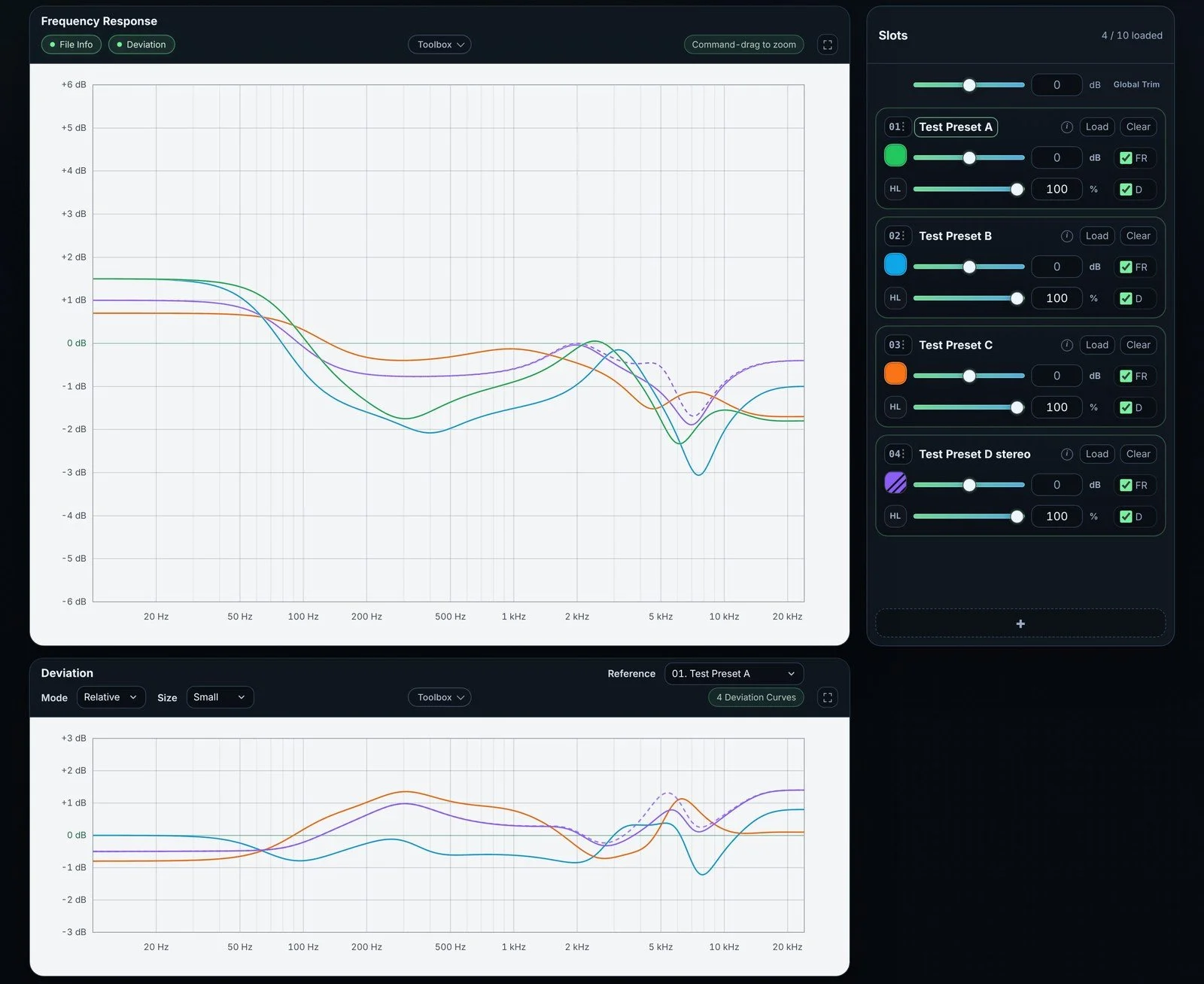
View deviations: see at a glance how far each curve is from the reference.
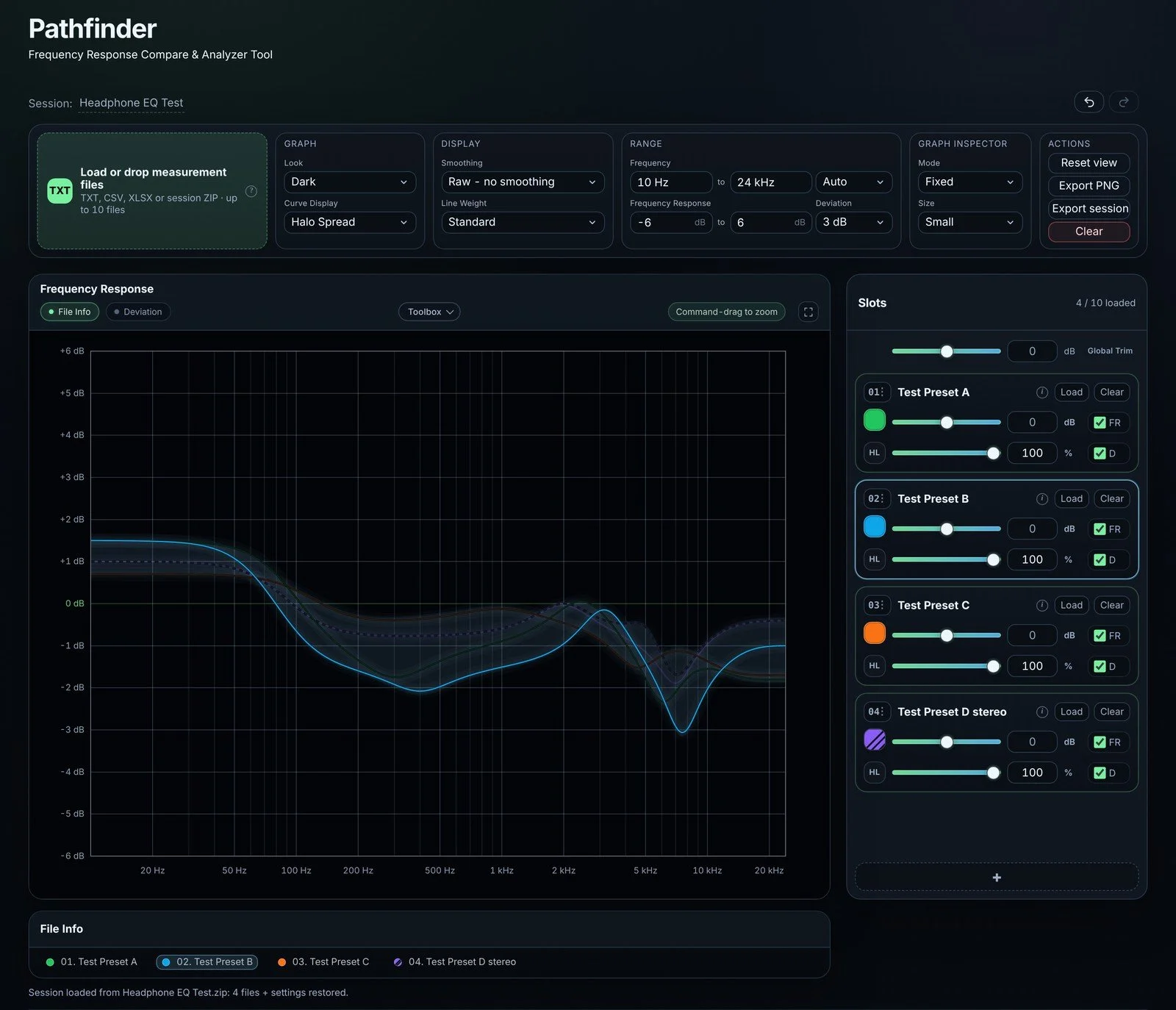
Explore the details: highlight one curve while the others stay visible as a soft halo.
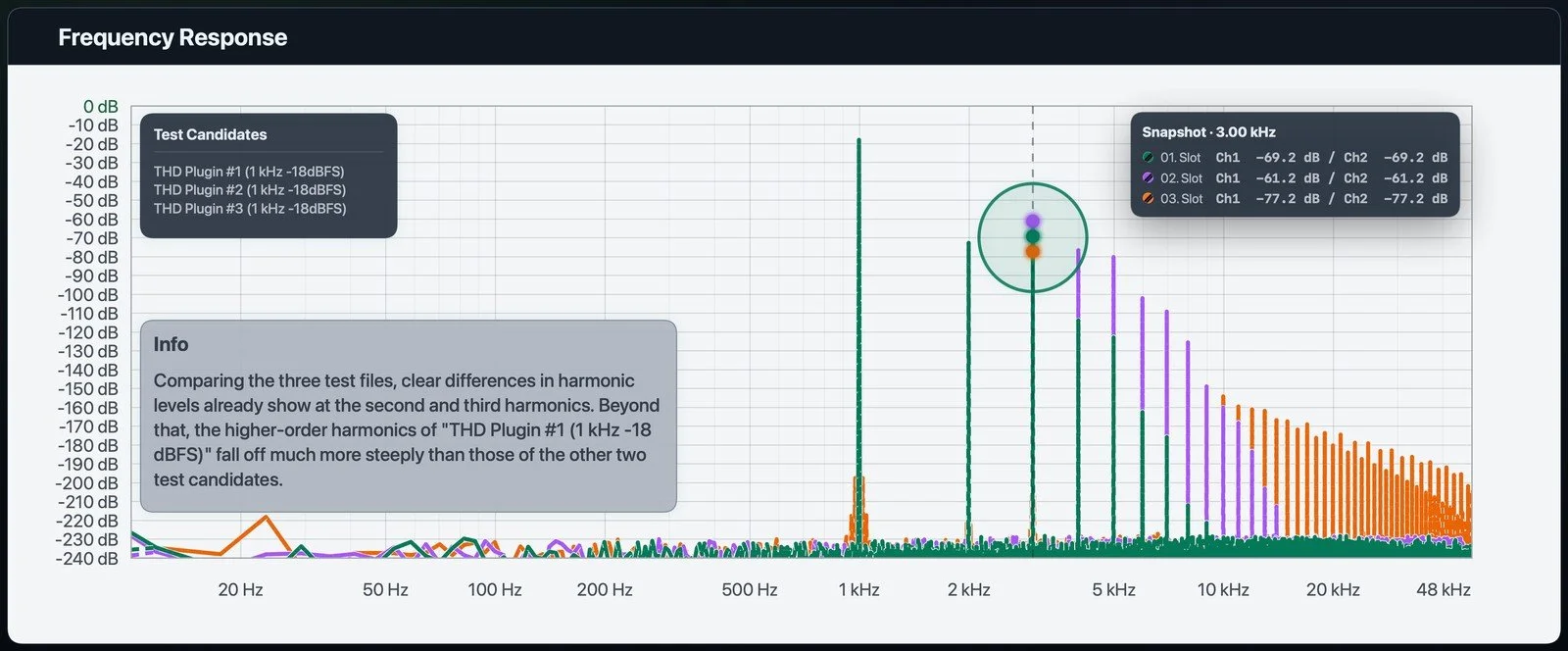
Compare harmonic structures: three spectra of the same 1 kHz test tone, each with a different set of harmonics.
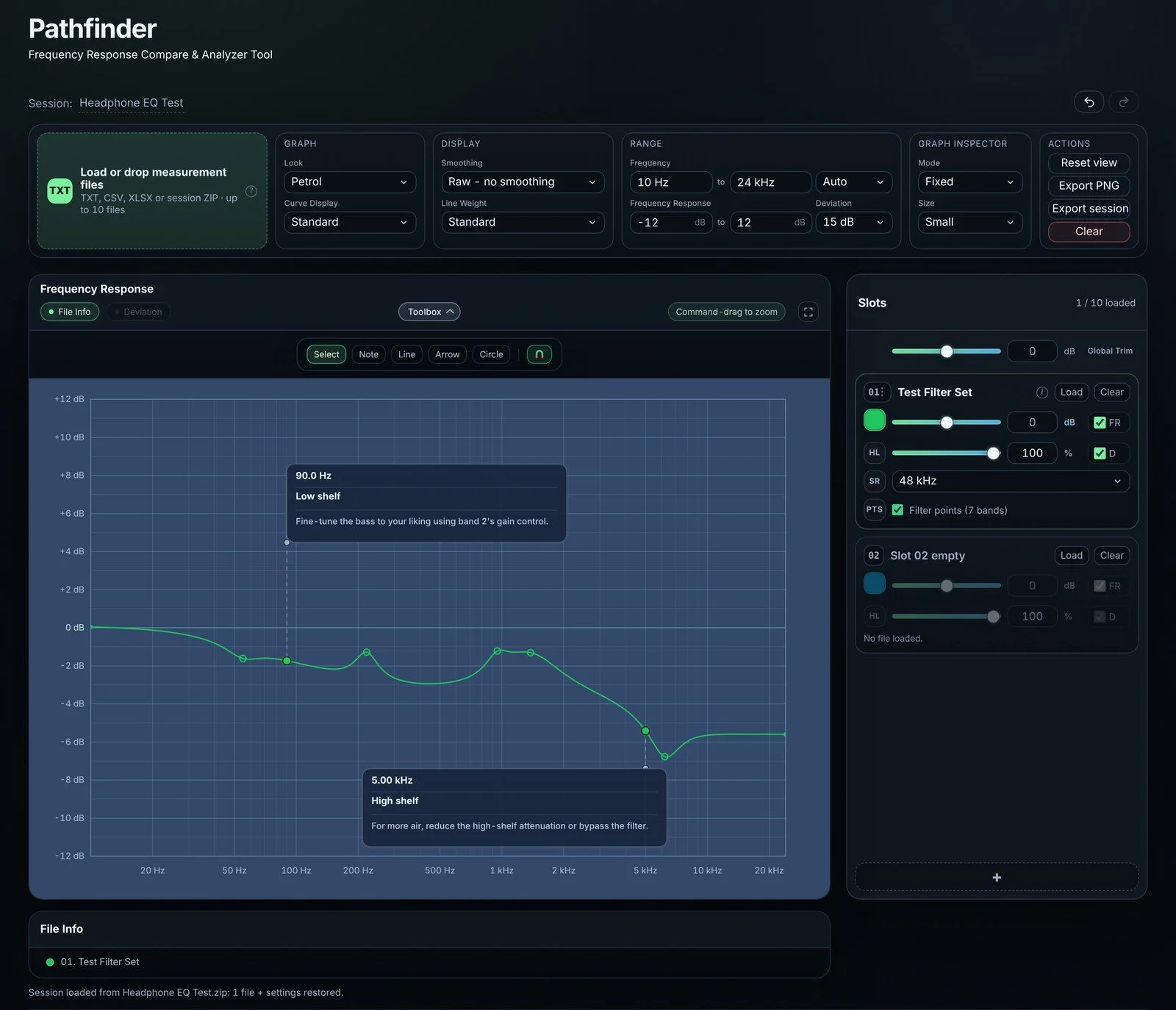
Load EQ filter sets: see a filter set as the curve it produces, with its filter points.
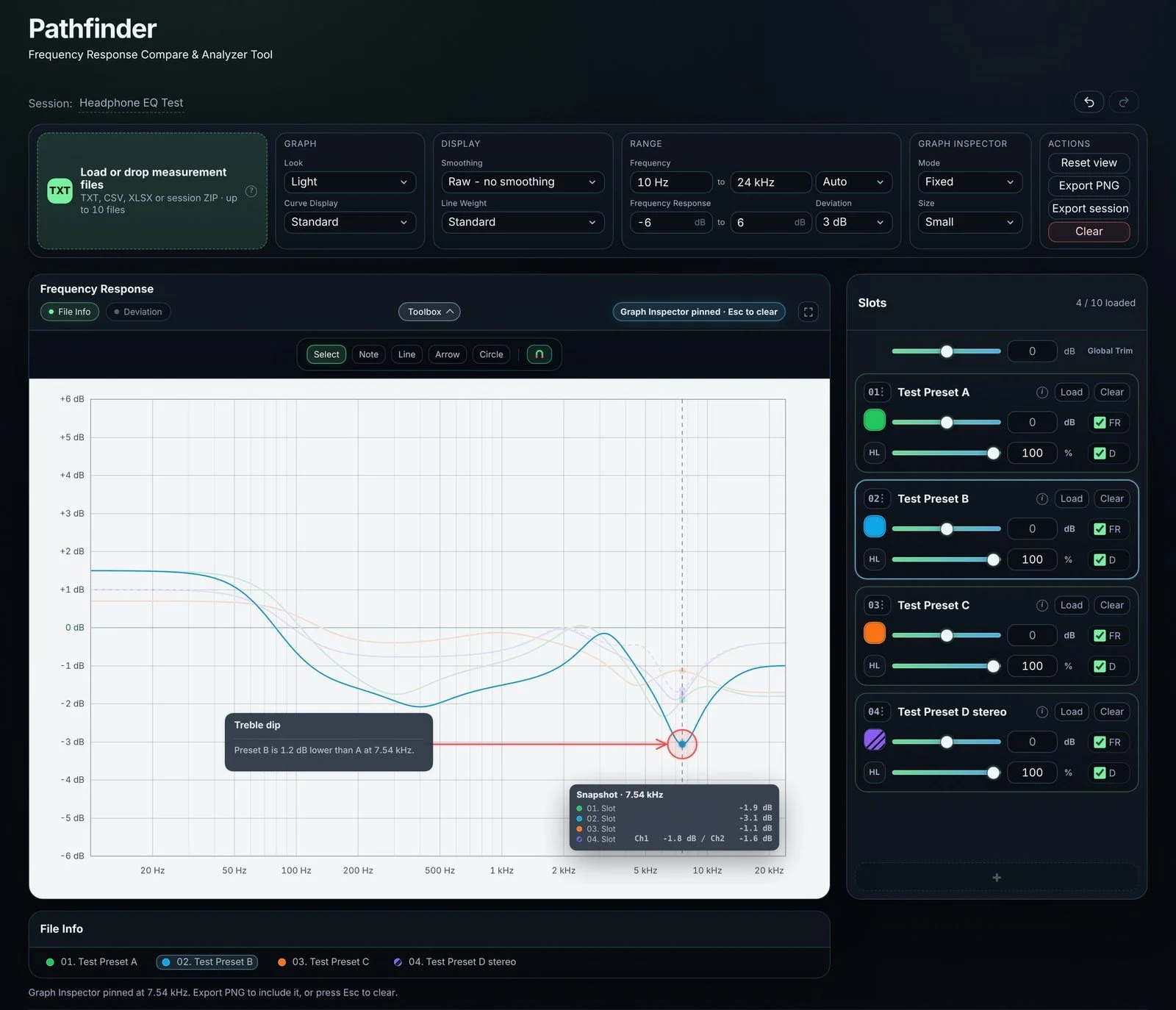
Document your findings: mark what matters with notes, arrows and circles, right in the graph.
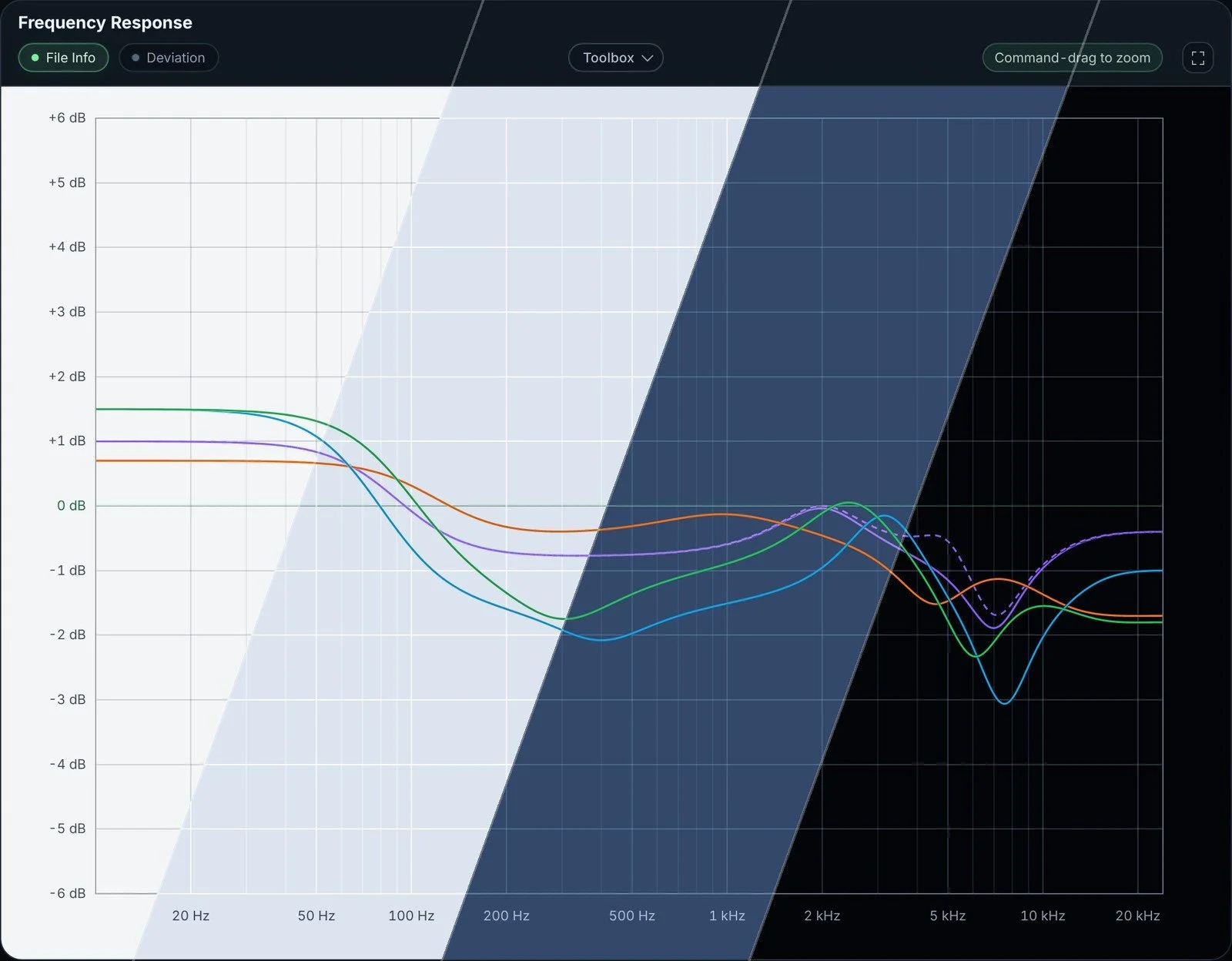
Four looks for the graph: Light, Cyan, Petrol and Dark.
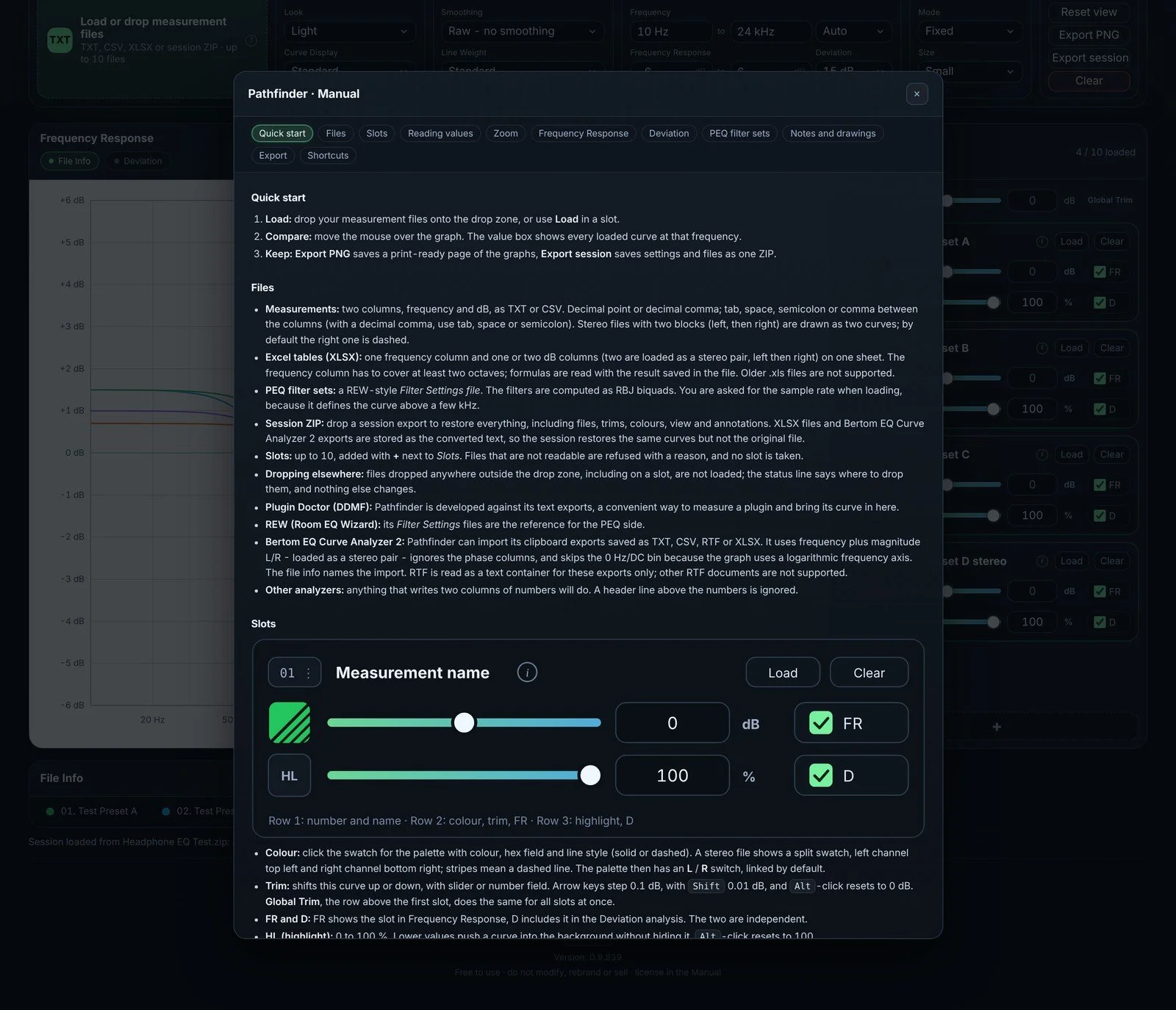
Built-in manual: everything explained inside the tool, including all shortcuts.
Why an HTML file instead of an App Store app?
I originally planned to release Pathfinder as an App Store app. A single HTML file turned out to offer several practical advantages:
No installation: No account or administrator rights required. Simply open the HTML file in your browser.
Cross-platform: Works in a modern browser on macOS, Windows or Linux. I mainly test it in Chrome and Safari on macOS.
Private and offline: The tool works entirely offline. Your files are processed locally on your computer and are never uploaded.
Yours to keep: Store the HTML file alongside your projects so you can reopen your sessions using the same version of Pathfinder.
Easy to share: Anyone receiving your session can open it with Pathfinder and a compatible browser.
What's new in 0.9.839
Pathfinder 0.9.839 brings together the improvements of the last releases: it reads your files more carefully, tells you clearly what it found, and works faster.
Excel tables, properly supported: XLSX files are read column by column. Pathfinder recognises the frequency and level columns by their headers, keeps every valid point, and refuses a table with a reason instead of guessing when the columns are ambiguous. Rows with a missing or non-numeric value are counted and reported, exactly as in a text file.
Clearer messages: Skipped lines, averaged duplicate frequencies and skipped blocks are named after loading, so a point never disappears silently.
More accurate curves: Smoothed curves are calculated from all source points. The "identical" note in File Info is now exact, so two curves that differ in a narrow notch are no longer called identical.
Steadier handling: Stereo channels, the deviation graph, the toolboxes and loading a session all behave more predictably, and every control is ready the moment a file is loaded.
Bertom EQ Curve Analyzer 2: Pathfinder now also imports data from Bertom EQ Curve Analyzer 2: paste its "CSV export to clipboard" into a text editor or spreadsheet and save it as TXT, CSV, RTF or XLSX. Stereo L/R measurements are supported.
Single HTML file, ~1.2 MB. Open it in your browser, no installation.
Pathfinder is an independently developed tool and is not affiliated with or endorsed by DDMF, John Mulcahy, REW (Room EQ Wizard), or Bertom Audio. Plugin Doctor is developed by DDMF, REW by John Mulcahy, and Bertom EQ Curve Analyzer 2 by Bertom Audio.